claudeCode
build ya skills
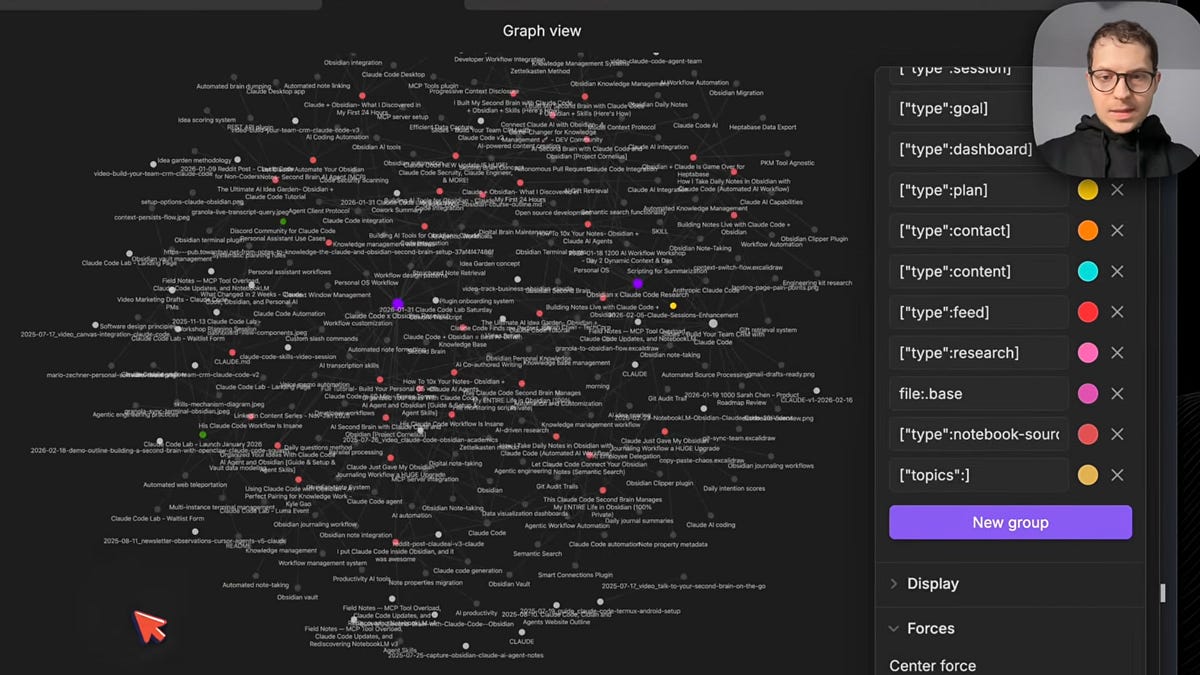
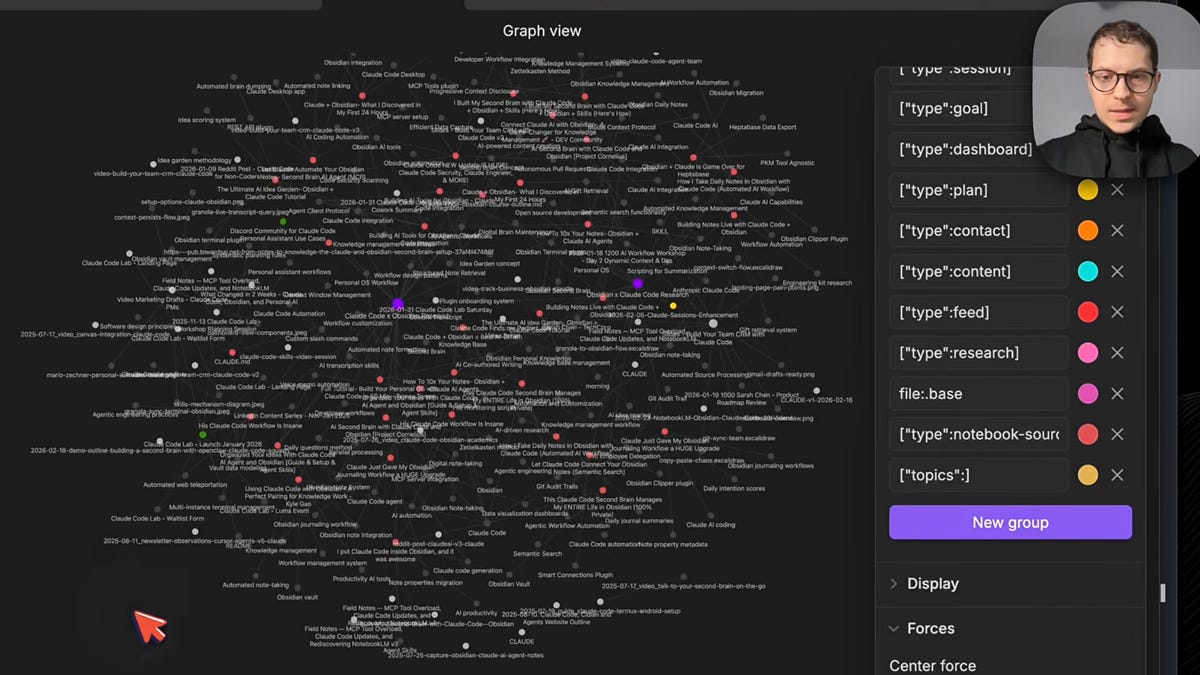
Everything comes back to Obsidian. Not as a flat dump, but as a linked knowledge graph.
Each source becomes a file. Each topic becomes a file. Citations create wikilinks between them. So when I open “Claude Code” as a topic in my vault, I can see which 6 videos mentioned it, what they said, and follow the links to the exact passages. Watch: Graph view and connections
Research that used to disappear into browser tabs now lives in the vault, connected to everything else. And because it’s all on your computer as markdown files - you own it. Claude can read it, you can search it, it’s not trapped in the NotebookLM browser window.
Claude Code creates a research dashboard in Obsidian. Sources with YouTube thumbnails, topics that act as hubs on the graph, and citation backlinks showing exactly where each video is referenced in your Q&A answers. All in one view.
Before: 20 browser tabs, copy-paste, lost sources. After: one terminal command.
NotebookLM is Google’s research tool. You give it sources - YouTube videos, PDFs, web articles, your own notes - and it reads all of them. When you ask a question, it gives you a cited answer pointing to exactly which source said what. No hallucination, because it only uses what you gave it.
The key difference from the browser workflow: I have much more granular control over the sources. Instead of NotebookLM’s built-in suggestions that recommend whatever it thinks is relevant, I pick exactly what goes in. I can search YouTube from terminal, see the results, and choose which videos to add. This way you increase the signal-to-noise ratio.
GitHub - Njengah/claude-code-cheat-sheet: Ultimate collection of Claude Code tips, tricks, hacks, and workflows that you can use to master Claude Code in minutes
github.com
If this cheat sheet helped you, please share it with other developers! If this cheat sheet helped you master Claude Code, please:
⭐ Star our GitHub repository
📢 Share it with other developers
💬 Leave feedback in the comments
🔄 Follow for updates
PAI getting even more capable every day.
***
Given the few months of attempting to get this thing stable, I came up with what I believe is a much better solution to this.
Functionality Packages instead of a Mirror Platform.
Let me explain.
The whole point of PAI is for everyone to have their own system, including an open-source system like OpenCode or something homegrown. Having the system based on the Claude Code is an automatic deviation from that. One that I was okay with, but still wasn't pure.
Over the last week or two this became more of a wizard or a setup system that customizes PAI functionality that I release for your environment. So like running the setup script, and you put in your variables or whatever.
The natural progression for this, given the fact that we have this brilliant AI available to us now, is to have your own AI system evaluate what is released into the PAI project and have your system integrated into itself.
So what we are going to move to is a system I'm calling PAI Packages.
# In Claude Code, run:
/plugin marketplace add alirezarezvani/claude-skills
/plugin marketplace add alirezarezvani/claude-skills
GitHub - alirezarezvani/claude-skills: A Collection of Skills for Claude Code and Claude AI for real-world Usage. Including Claude Code Subagents, Claude Code Commnads
Claude Skills Library by nginity (Your Agentic Startup Kit)
Production-Ready skill packages for Claude AI & Claude Code - Reusable expertise bundles combining best practices, analysis tools, and strategic frameworks for marketing teams, executive leadership, product development, your web and mobile engineering teams. Many other teams will be... See more
Production-Ready skill packages for Claude AI & Claude Code - Reusable expertise bundles combining best practices, analysis tools, and strategic frameworks for marketing teams, executive leadership, product development, your web and mobile engineering teams. Many other teams will be... See more